Install the extension in a few clear steps.
This page replaces the old slider-based walkthrough with readable step cards, clearer hierarchy, and a direct download section.
This page replaces the old slider-based walkthrough with readable step cards, clearer hierarchy, and a direct download section.
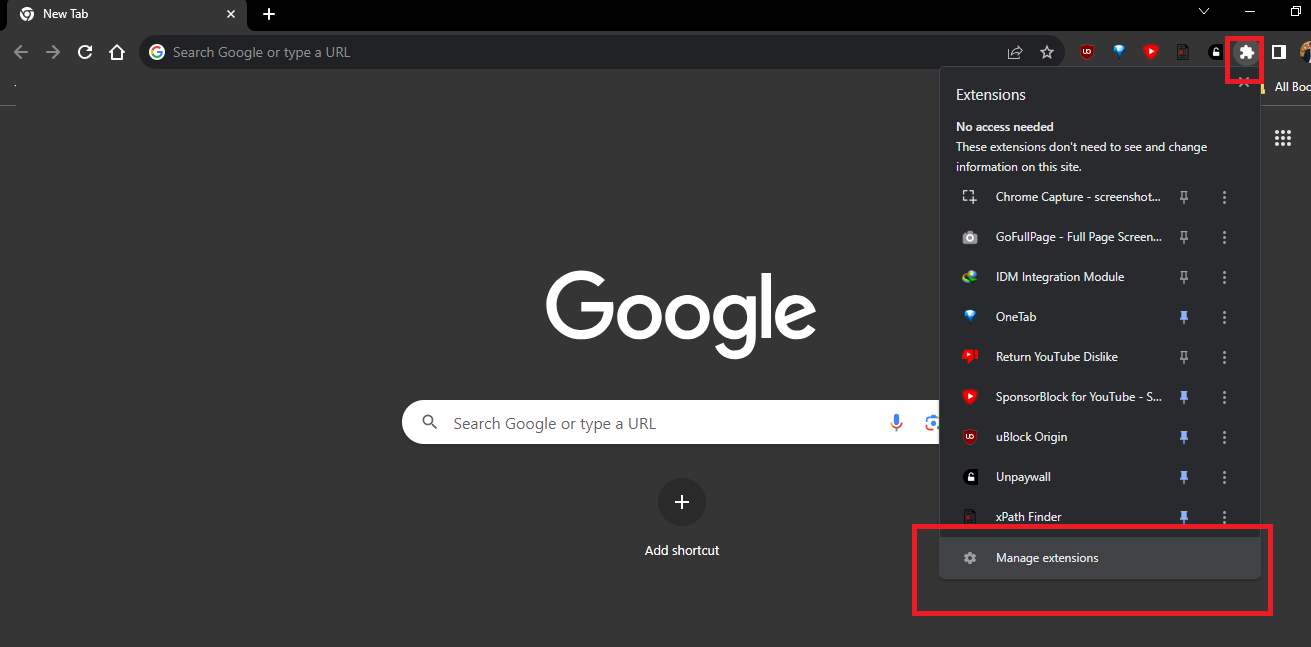
Visit Chrome's extensions page from the browser menu or by entering the extensions route directly.
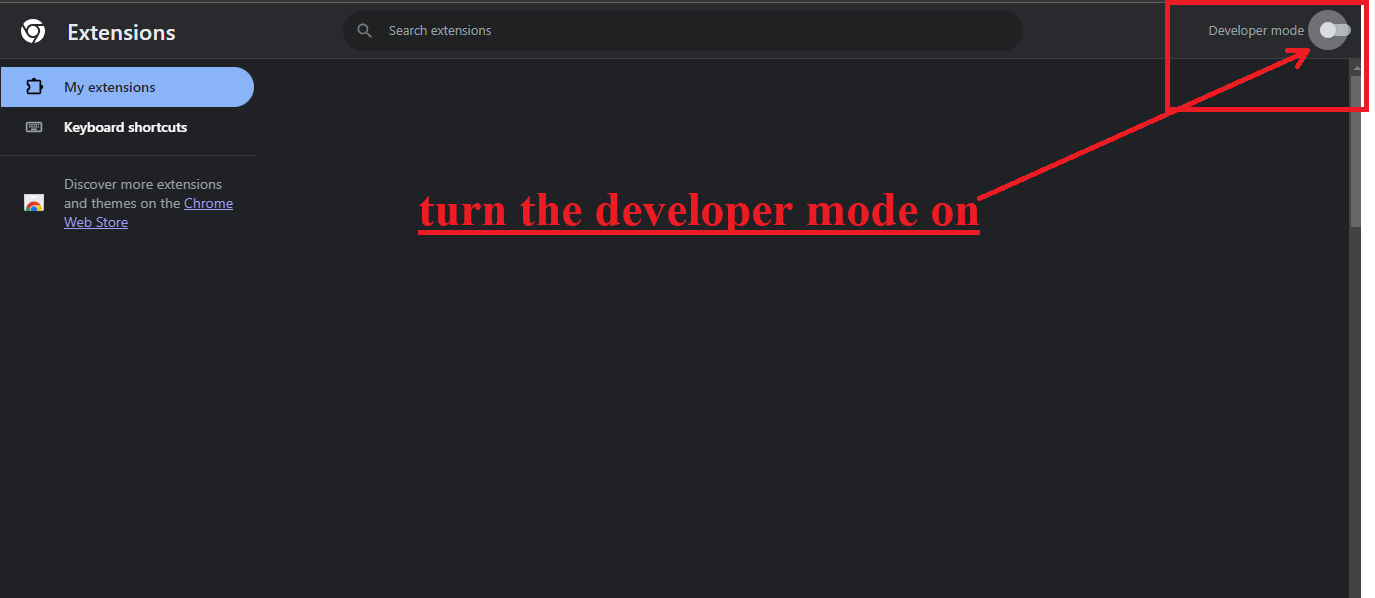
Turn on developer mode so Chrome shows the option to load an unpacked extension.
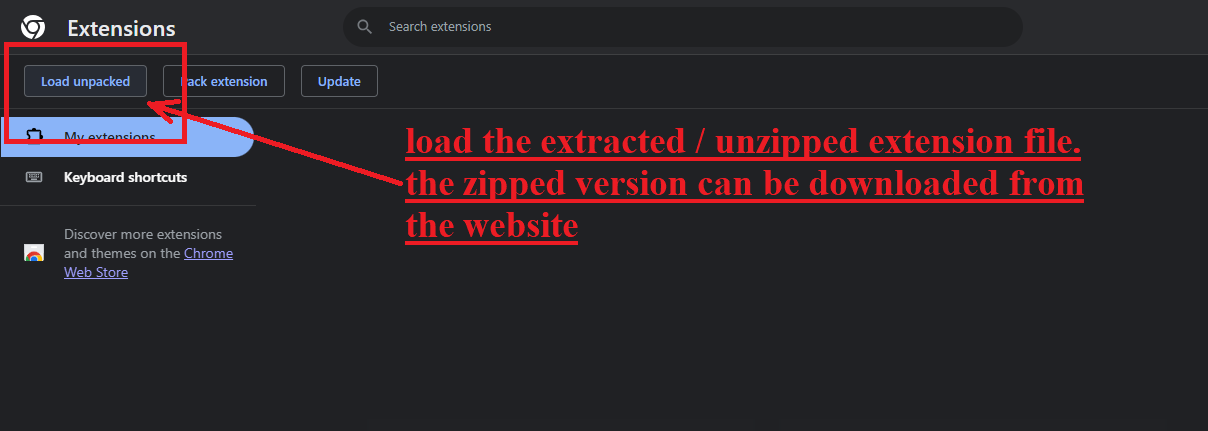
Select the unpacked option to point Chrome at the extracted extension directory.
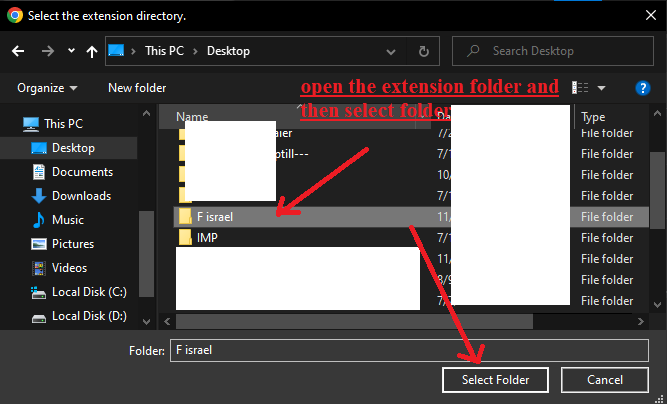
Pick the extension folder you extracted from the downloaded package.
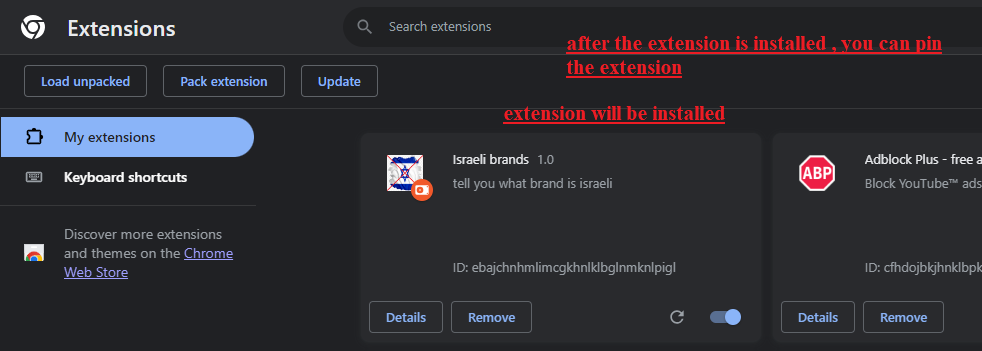
Once loaded, the extension appears in Chrome and is ready to use.